
Last updated:
S710 only. The S700, WisePad 3 and Tap to Pay have no cellular. Order an S710 from Terminals → Order if you need it.
How it works
- You turn cellular on per Location. Every S710 at that Location gets it. You can't turn it on for a single reader.
- The reader uses the network in this order: Ethernet → Wi-Fi → 4G. The switch to 4G takes from 15 seconds to 2 minutes.
- Data is unlimited for payments. There is no SIM to insert.
- It's available in Portugal, France, Germany, Spain, Belgium, Austria, Ireland, the UK and a few other countries. If a Location's country isn't covered, its button stays greyed out.
Price
The price per S710 per month is shown in the Cellular window, before and after VAT (for example €12.00 + VAT).
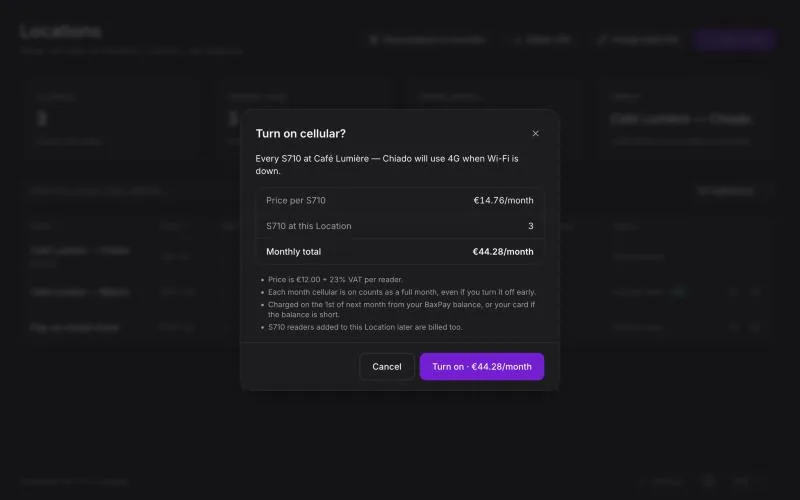
- A month counts in full. If cellular is on at any point in a month, that month is charged in full for every S710 at the Location, even if you turn it off early.
- Charged on the 1st of the next month, from your BaxPay balance. If the balance is short, your card on file is used.
- The charge appears in Transactions and in Settings → Fees as S710 cellular.
- If a month stays unpaid for 14 days, cellular turns off at that Location. You can turn it back on once it's paid.
Turn it on
- Go to Locations (or Terminals) and click Cellular (4G).
- Find the Location and click Turn on.
- Check the price, the number of S710 readers and the monthly total, then confirm.
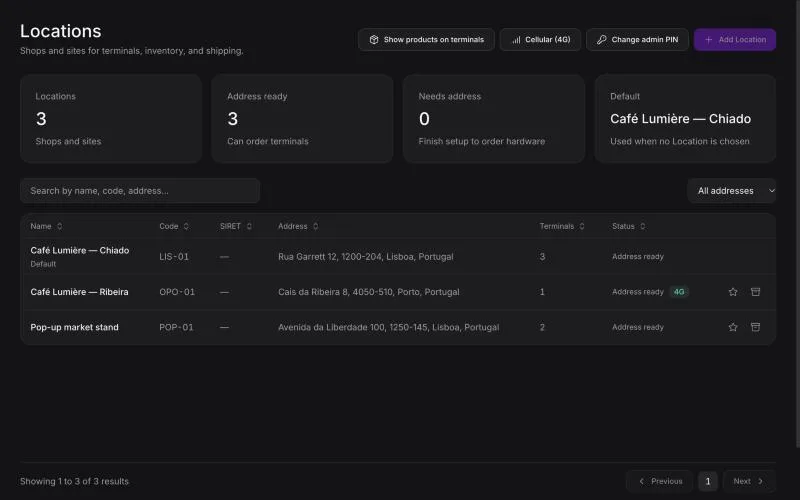
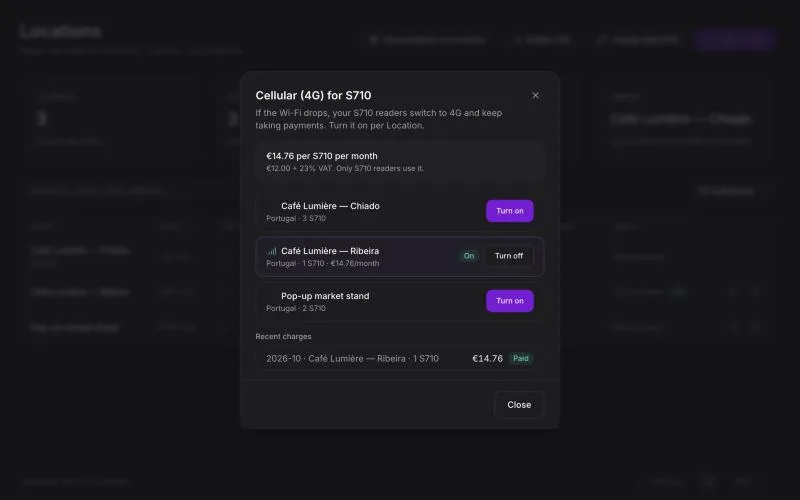
The readers pick up the change within a few minutes. Locations with cellular on show a 4G badge, and each S710's details on Terminals show 4G on or 4G off.
Turn it off
Open Cellular (4G) and click Turn off next to the Location. It stops right away, and nothing is charged from the next month on. The current month is still charged.
Good to know
- S710 readers you add to the Location later are covered and charged too.
- Only the account owner can turn cellular on or off.
- Cellular keeps payments going when the Wi-Fi drops. For full outages, also see S700 / S710 reader settings.